

Building Azure With Code
Azure infrastructure as code using ARM templates and Bicep, including tag configuration and web application firewall management with PowerShell.
In this series, we will explore Azure and Infrastructure as Code (IaC), focusing on how to automate and manage cloud infrastructure using code. By leveraging IaC practices, developers can enhance deployment efficiency, ensure consistency, and streamline operations. Join us as we delve into tools, techniques, and best practices for effective cloud infrastructure management.

Read the series
-

Configure the Azure Application Gateway WAF with PowerShell
A quick guide on how to connect and work with the Azure WAF from PowerShell
-

Appending Tags to Azure Resources with ARM Templates
Dynamically appending Tags to our ARM template with the union function
-

Azure Tags as ARM Template Parameters
Deploying infrastructure ARM Templates to Azure, but using Tags and thier respective value as the parameter configuration settings
-
Azure Tags as Bicep Parameters
Read subscription and resource tags with Bicep, then use their values to resolve an existing Recovery Services vault and backup policy.
-

Terraform or Bicep for Azure: Strengths Compared
Consider the strenghts of Terraform and Bicep as a DSL for cloud architecture
-
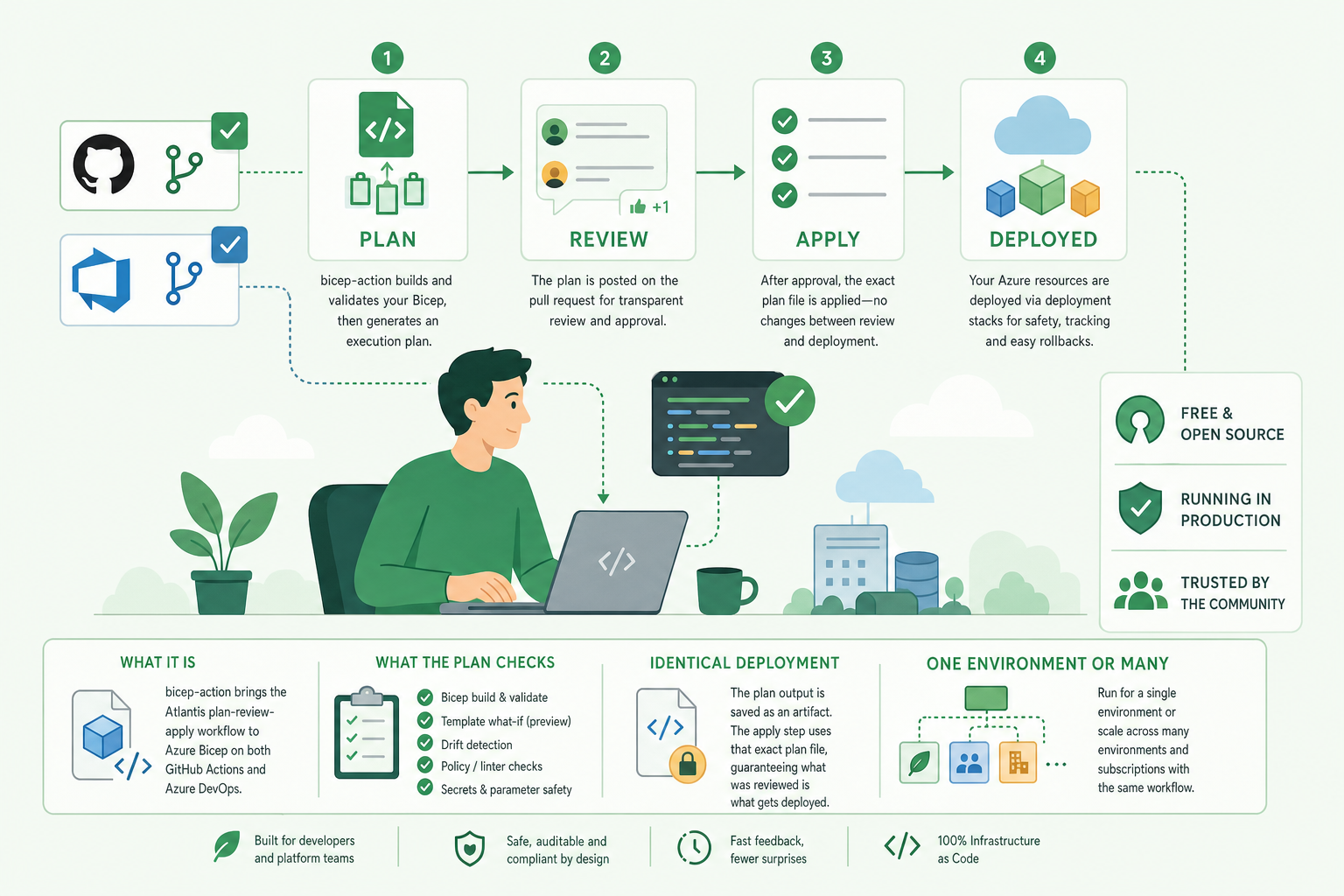
bicep-action: Plan, Review and Deploy Bicep from Pull Requests
What bicep-action is, how it brings the Atlantis plan-review-apply workflow to Azure Bicep on both GitHub Actions and Azure DevOps, what the plan checks, how it keeps the…
-
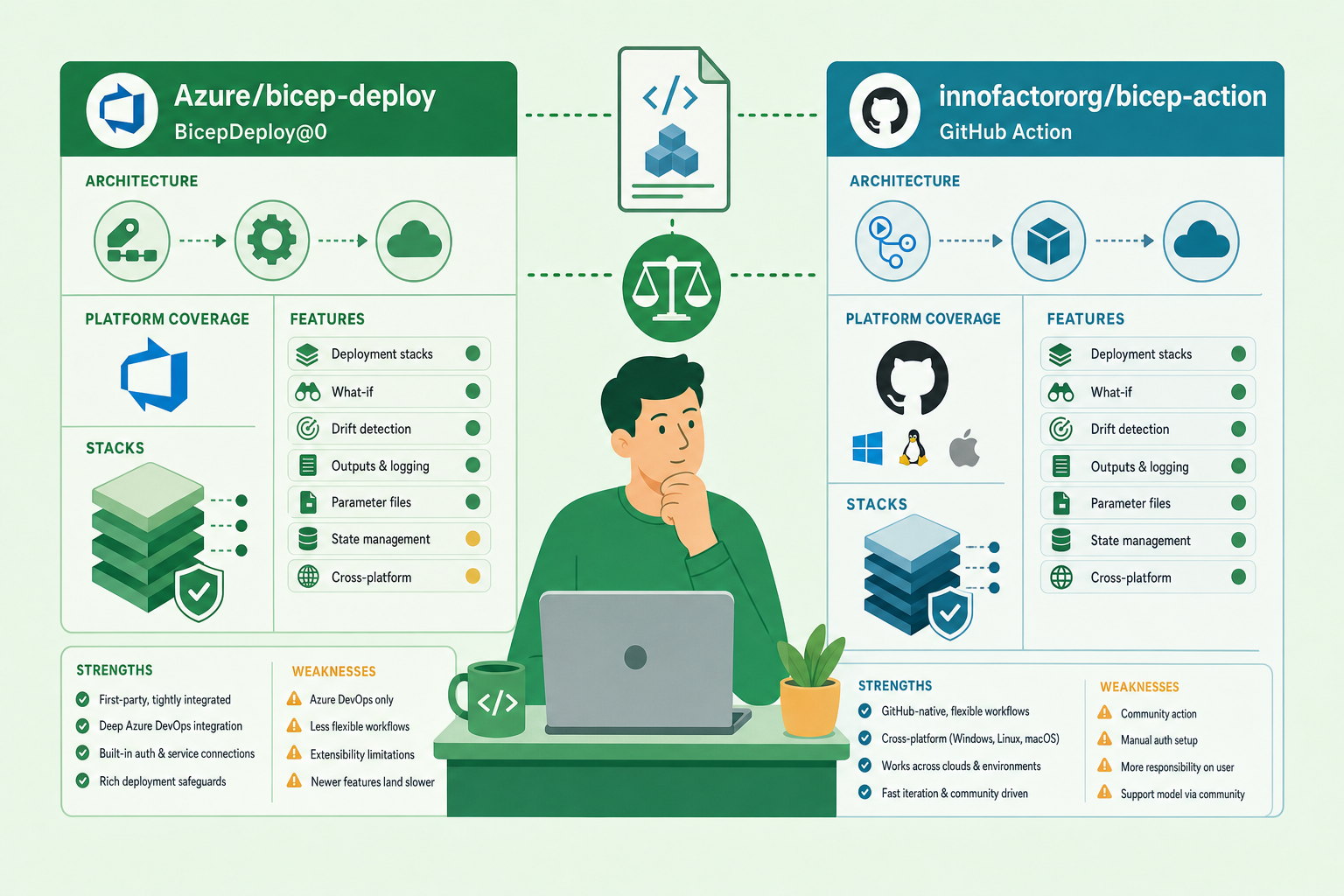
bicep-deploy vs bicep-action: A Tool or a Workflow?
An honest, side-by-side comparison of Microsoft's official Bicep deployment action and task (Azure/bicep-deploy) with Innofactors Bicep Action (InnofactorOrg/Bicep-Action):…